Desktop visual guide

How to install, open a batch and check a report without inverting its maps again. Select a screenshot to read it at full size.

DiffAtOnce Studio

  1. Save your work and close the application you intend to update. In Studio, select Check for updates and check the catalog date and status.
  2. Open the card details: a managed MSI installation is not the same as a portable copy. Confirm the product and version before proceeding.
  3. If catalog signature or package verification fails, do not continue with that download. After installing, check the installed version again.
Studio help
Studio 0.1.5 · simulated catalog, installed state not checked. “Getting started and help” opens the bundled guide even when offline.

DiffAtOnce Prime 0.15.106

To explore without a project, select Synthetic demo. For a real batch, use a copy and open Ramps / batch; check the sample, range and revision before exporting. Preparing D limits does not recalculate a saved map.

Prime · simulated spectra. No map has been calculated yet.
Prime getting started

ResinAtOnce 0.51.107

On Project and batch, the highlighted row is the ramp you are editing; the checkboxes select ramps for calculation. Changing rows does not start a calculation.
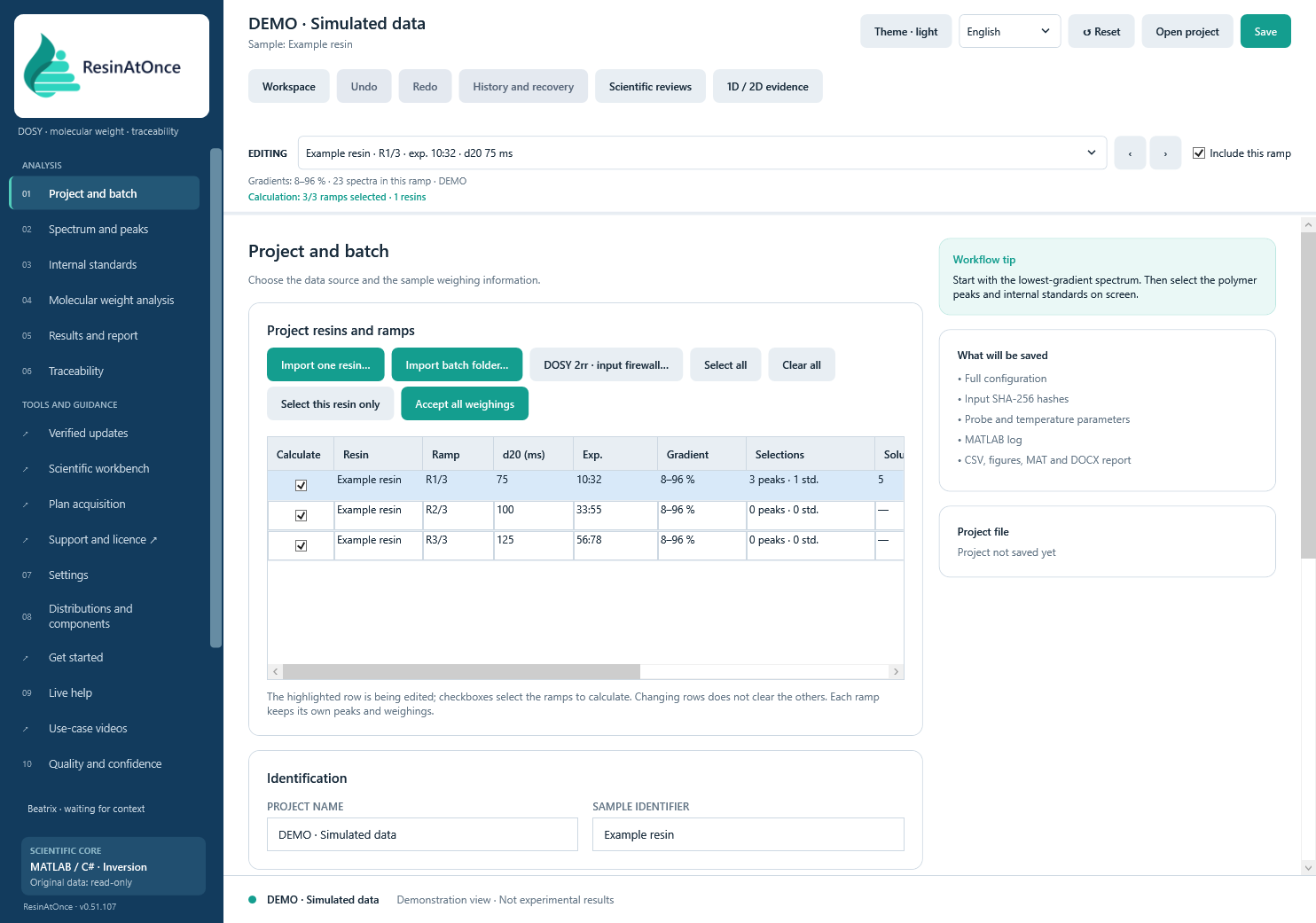
ResinAtOnce · three simulated ramps and one active row.

Under Spectrum and peaks, check each peak position on its own ramp. Under Internal standards, propagating a label does not authorize reuse of a factor. Transfer a compatible archived factor only by explicit decision; keep the destination ramp’s temperature.
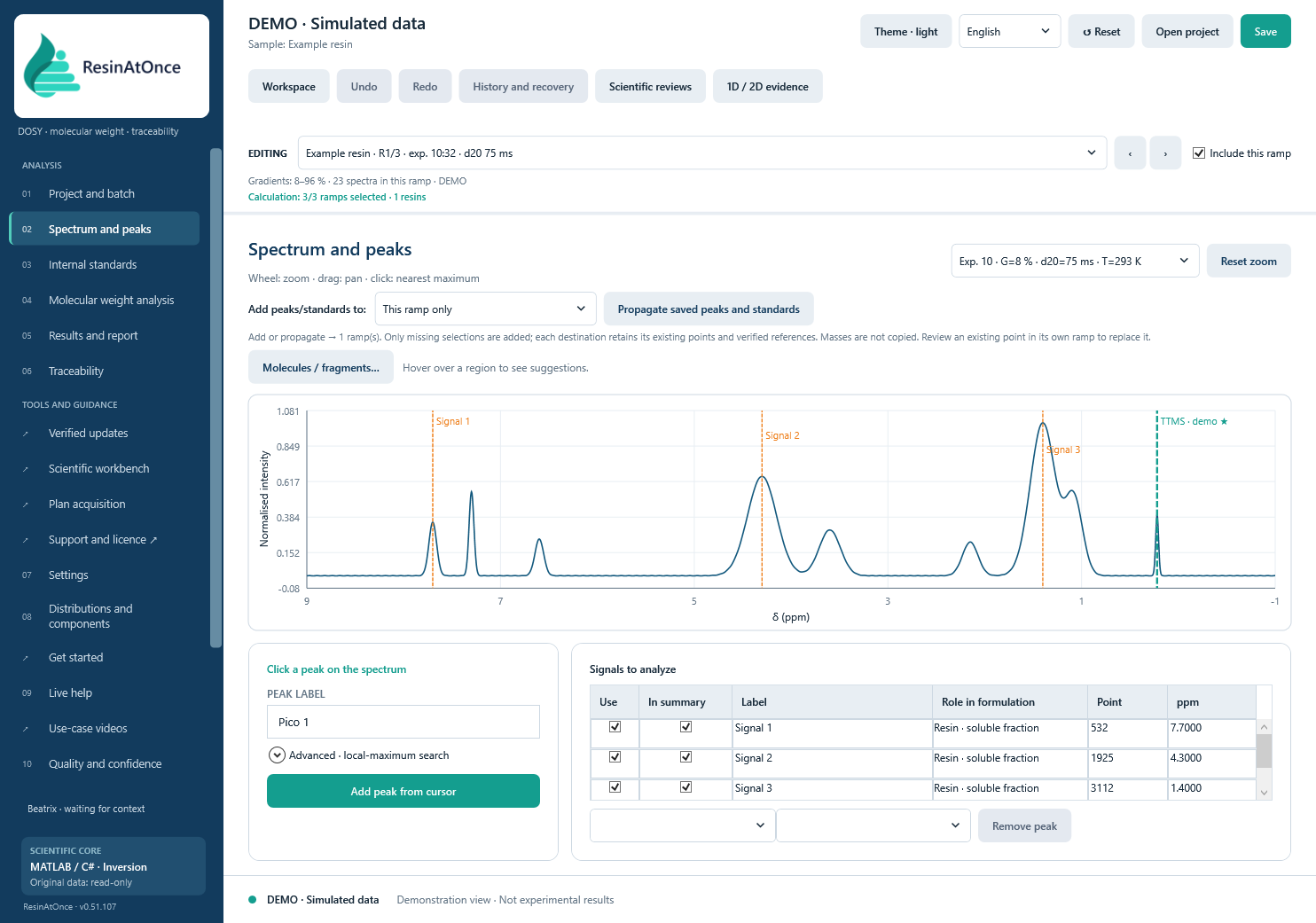
ResinAtOnce · simulated spectrum, selected signals and demonstration standard.
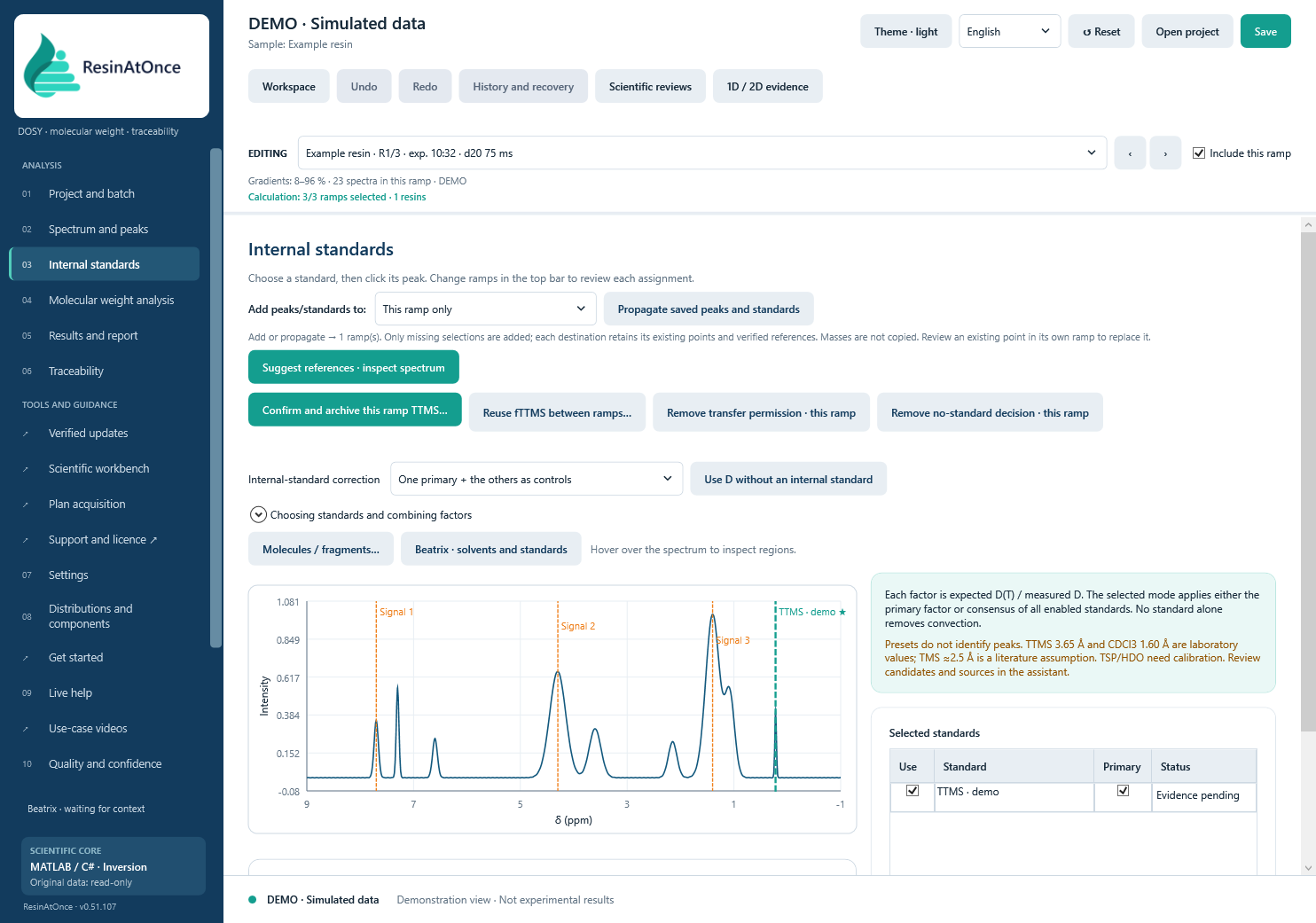
ResinAtOnce · selected standard, evidence pending: this view does not show an accepted factor.

Under Results and report, use the same revision when comparing the summary and full report. Check the reason for a missing value: a dash is not zero. A missing linked figure must not be replaced with a different map.

ResinAtOnce getting started